• Skip to primary navigation
  • Skip to main content
TAD Graphics logo

t ad studio | tad graphics

A vibrant, multi-disciplinary advertising, communications, creative and digital agency

  • About us
  • What we do
    • Creative and graphic design
    • Copywriting
    • Marketing and advertising
    • Promotional photography
    • Web design and digital media
  • Portfolio
  • Blog
  • Contact us
  • Shop prints

graphic design

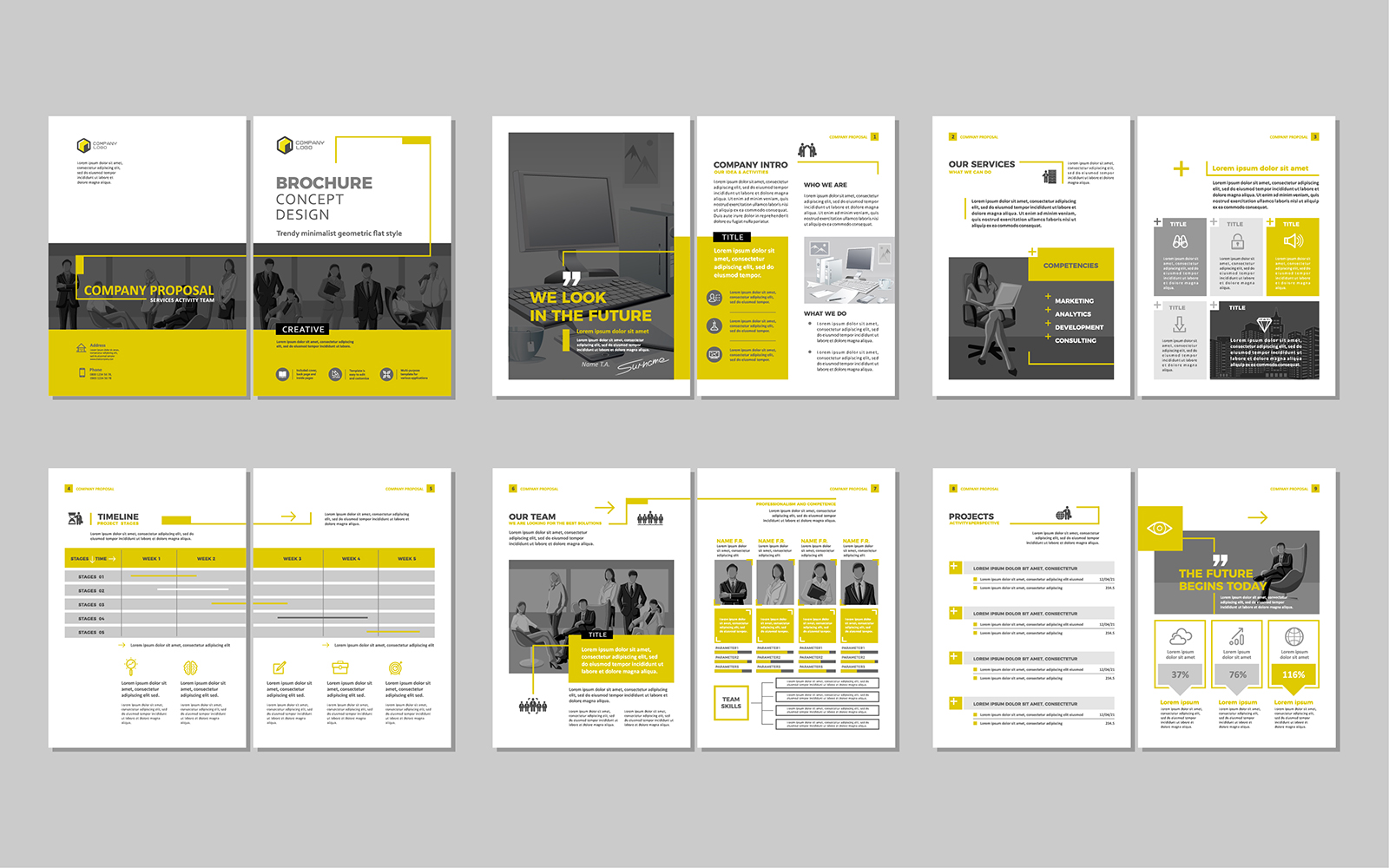
The principles and best practices of visual design

16 July 2024 by tadgraphics

The principles and best practices of visual design

In today’s digital age, mastering the art of visual design is crucial for effective communication. Whether you’re a seasoned designer or a newcomer to the world of visuals, understanding and applying these principles can elevate your designs to new heights.

Join us as we dive into visual design principles and best practices and uncover the strategies that can transform your creative projects.

Visual design principles and best practices

Here are some of the visual design principles and best practices that we’d recommend acquainting yourself with if you’re looking to become an expert.

Prioritise legibility

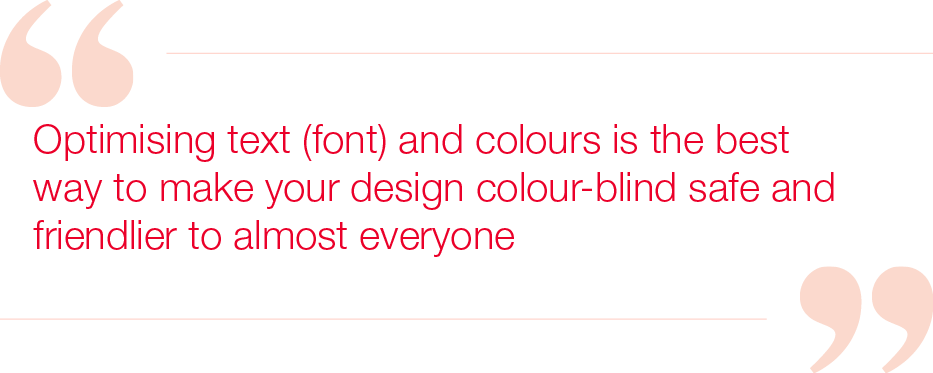
Legible text is essential for effective communication. Ensure that your text contrasts well with the background to improve readability. Pay attention to font size, spacing, and alignment to make your text easy on the eyes.

Simplicity is key

Designing with simplicity in mind is crucial. Avoid overloading your designs with unnecessary elements. Keep it clean, straightforward, and free of distractions to effectively communicate your message.

Embrace white space

Don’t be afraid of empty space in your designs. Utilise white space strategically to enhance readability and focus. It helps guide the viewer’s attention to the most important elements of your design.

Choose colours wisely

Selecting the right colours can significantly impact the effectiveness of your design. Stick to a limited colour palette of 2-4 colours to maintain cohesion and visual appeal. Ensure that the colours you choose complement each other harmoniously.

Consistency is paramount

Maintaining consistency across your designs creates a cohesive and professional look. Keep fonts, colours, and styles consistent to establish a recognisable brand identity and improve user experience

Use icons effectively

Icons are powerful tools for visual communication. Incorporate icons to convey information quickly and enhance understanding. They add visual interest and aid in organising content effectively.

Prioritise user experience

Always consider the end-user when designing. Focus on creating designs that are intuitive, accessible, and user-friendly to ensure a positive experience for your audience.

Understand spacing and alignment

Proper spacing and alignment contribute to a balanced and visually pleasing design. Use grids and guidelines to align elements accurately and maintain a sense of harmony in your layout.

Incorporate stock images thoughtfully

Choose high-quality stock images that align with your message and resonate with your audience. Avoid clichéd or outdated images that detract from your design’s impact.

Experiment with dotted lines

Dotted lines can be used creatively to illustrate connections and relationships in your designs. They are effective for visualising workflows, processes, and concepts in an engaging way.

Keep text concise

Aim for brevity in your text content. Use clear and concise language to convey your message effectively without overwhelming the viewer with unnecessary information.

Seek feedback and iterate

Don’t hesitate to seek feedback from peers and stakeholders. Iterate your designs based on constructive feedback to continuously improve and refine your visual communication.

Utilise design tools efficiently

Take advantage of design tools and software to streamline your workflow and create professional designs. Familiarise yourself with the features and capabilities of these tools to enhance your design process.

Mindful font usage

Choose fonts carefully to ensure readability and visual appeal. Limit yourself to 1-2 fonts and maintain consistency in font sizes throughout your design. Opt for fonts that align with your brand and project a modern image.

Final thoughts on visual design principles

Our commitment to employing visual design principles and best practices ensures that each of our projects not only looks visually stunning but also conveys the intended message effectively. For over 15 years, our team in Perth has utilised these principles to create designs that resonate with the target audience.

Reach out to us today and experience how we can enhance your visual communication. If you have other questions we can answer just like this exploration of visual design principles and best practices, don’t miss our other insightful blog entries.

Filed Under: Blog, Graphic design, Web design Tagged With: graphic design, UI design, visual design, visual hierarchy

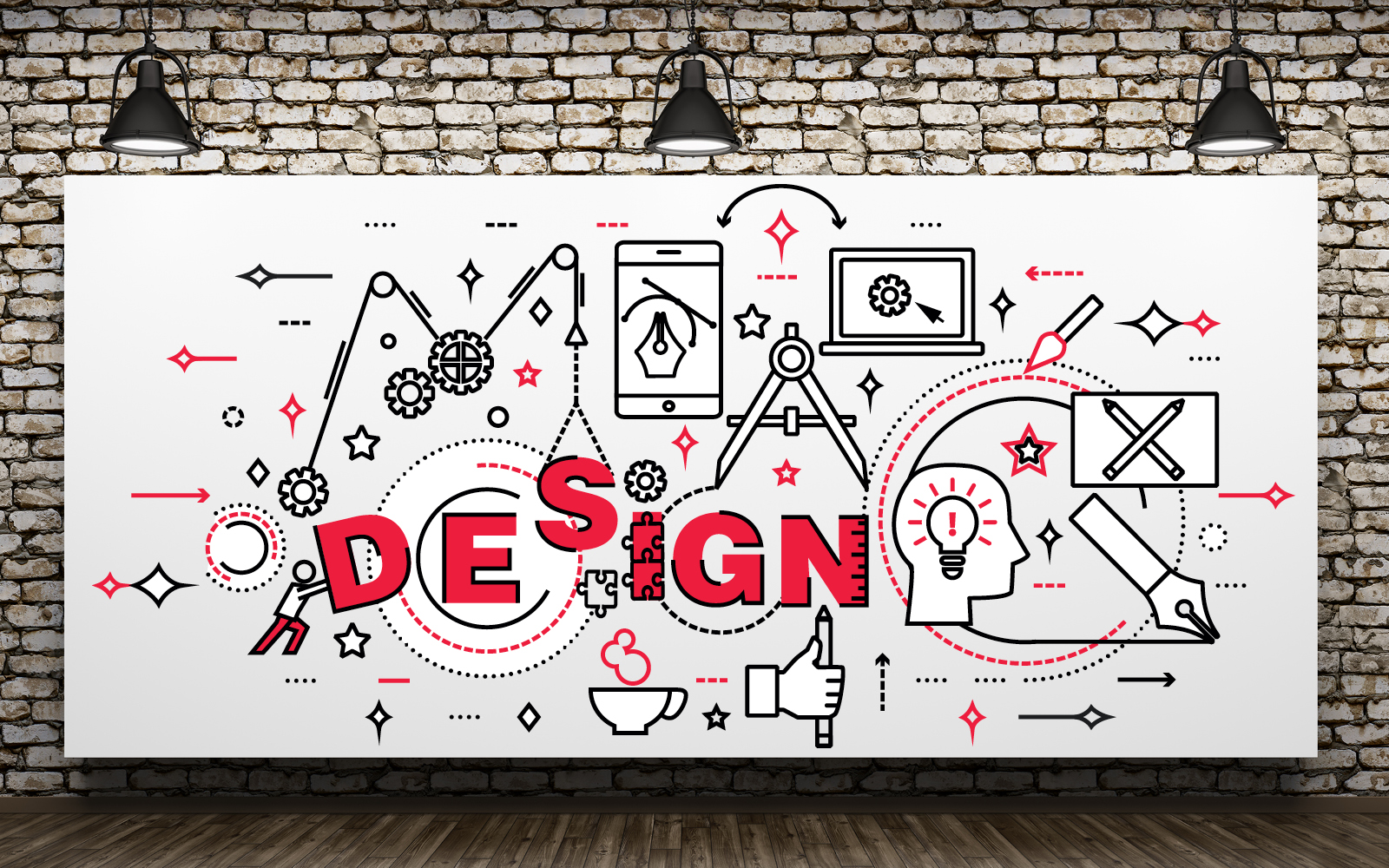
Visual design vs graphic design: What’s the difference?

24 May 2024 by tadgraphics

Visual design vs graphic design: What’s the difference?

Welcome to our guide on visual design vs graphic design! In this exploration, we’ll decode the differences between these two essential pillars of creativity. Whether you’re a design pro or just starting, this journey promises clarity and inspiration. Let’s dive in and see what it’s all about.

Visual design vs graphic design: the breakdown

Visual designers tend to specialise in digital experiences, expertly blending user interface (UI) and user experience (UX) design principles to create engaging digital platforms.

On the other hand, graphic designers understand how to use visual elements like shapes, colours, and typography to communicate messages in an impactful way across various mediums, including print and digital.

What does a visual designer do?

Visual designers enhance digital experiences by:

  • utilising HTML, CSS, and other programming languages for website and app development
  • developing visual concepts to elevate user experience and align with company objectives
  • collaborating with developers and marketing professionals to launch successful digital initiatives
  • applying user interface design principles to various digital platforms such as video games, e-commerce websites, and mobile apps
  • creating mockups of design projects and presenting them to cross-functional teams
  • enhancing user experience through strategic design element selection for each product
  • establishing fundamental requirements for new user interfaces
  • applying prototyping, wireframing, and other techniques to communicate new concepts effectively
  • ensuring project completion with the necessary functionality.

Is it fun being a graphic designer?

Graphic designers focus on visual communication through print and digital media. They create layouts for magazines, book covers, posters, and advertisements, using tools like Adobe Photoshop and InDesign.

Collaboration, design skills, and an eye for visual aesthetics are key in this role. If these things align with your strengths and interests, you can have a very enjoyable and successful career as a graphic designer.

Skills and qualifications

When it comes to the visual design vs graphic design showdown, they both typically require a degree in graphic design, visual communication, or a related field. Skills in design software, collaboration, and effective communication are essential for success in these roles.

Job opportunities

In terms of career progression, visual designers can explore roles like UX/UI designers and web designers, and graphic designers may advance to positions such as art directors, creative directors, production artists, and animators.

Final thoughts on visual design vs graphic design

In short, graphic designers emphasise visual communication, whereas visual designers prioritise enhancing the overall user experience. Whether you’re drawn to the digital space as a visual designer or prefer the versatile world of graphic design, there’s a wealth of opportunities awaiting your creative talents.

At TAD Graphics, our commitment to aesthetic perfection ensures that our projects not only look visually stunning but also effectively convey the intended message. For over 15 years, our team in Perth has utilised these principles to create designs that resonate with the target audience. Reach out to us today and experience how we can enhance your visual communication. If you found this exploration of visual design vs graphic design valuable, don’t miss our other insightful blog entries.

Filed Under: Blog, Graphic design, Web design Tagged With: graphic design, UI design, visual design, visual hierarchy

What is visual design?

20 April 2024 by tadgraphics

So, you’ve found your way here with one burning question on your mind; what is visual design? In a nutshell, it encompasses the art of crafting digital experiences through a thoughtful blend of aesthetics and functionality. It goes far beyond mere aesthetic appeal, into the world of user interaction and experience enhancement.

Come along as we take a comprehensive approach to answering the question, what is visual design?

What is the meaning of visual design?

Visual design is the strategic arrangement of visual elements such as colour, typography, imagery, and layout to convey messages, evoke emotions, and guide users through digital platforms. It aims to create engaging and intuitive user experiences.

Is visual design the same as graphic design?

While visual design and graphic design share many similarities in utilising visual elements, they serve distinct purposes. Visual design focuses on user experience and digital interaction, whereas graphic design encompasses a broader spectrum, including print and digital media communication.

What are the basic concepts of visual design?

Some of the key concepts in visual design include:

  • Using colour to evoke emotions, establish brand identity, and create a visual hierarchy
  • The selection and arrangement of fonts for readability and visual appeal, known as typography
  • Applying visual imagery like illustrations and photography to convey messages and enhance storytelling.
  • Structuring the layout of content and design elements for intuitive navigation and information hierarchy
  • Employing symbols and icons for quick visual communication and interaction cues

What is an example of visual design?

So, now you know the general answer to the question, what is visual design in theoretical terms, it’s time to look at a practical application.

An exemplary instance of visual design can be seen in the user interface of Duolingo, a popular language-learning application. Its vibrant and friendly visual design communicates a welcoming and interactive learning environment, enhancing user engagement and enjoyment.

Why visual design matters?

Visual design is the first impression a product makes, impacting user trust and credibility. It contributes significantly to branding and effective communication of a product’s personality. In addition, consumers often base their judgments on a product’s visual cues, highlighting the importance of visual design in user perception.

When visual design is essential

Visual design is integral throughout the design process, from conceptualisation to completion. It is particularly crucial in the later stages of a project when focusing on pixel-perfect execution and personality design.

Final thoughts on visual design

Well, there you have it. We hope we’ve successfully answered the question, what is visual design? to your satisfaction.

In summary, visual design plays a pivotal role in shaping digital experiences and influencing user perception, engagement, and brand identity. By understanding its principles and leveraging its power, designers can create compelling and user-centric digital solutions.

At TAD Graphics, our dedication to quality ensures that our projects not only look visually stunning but also effectively communicate the intended message. For over 15 years, our team in Perth has utilised these principles to create designs that resonate with the target audience.

Reach out to us today and experience how we can enhance your visual communication. If you have other questions we can answer just like this exploration of ‘what is visual design?’ don’t miss our other insightful blog entries.
Filed Under: Blog, Graphic design, Web design Tagged With: graphic design, UI design, visual design, visual hierarchy

Less is more: Uncovering the essence of minimalism in graphic design

13 November 2023 by tadgraphics

Minimalism in graphic design

In a world that is positively bursting with endless information, minimalism emerges as a breath of fresh air, embodying the classic saying, less is more. This design philosophy, not only employed but celebrated by TAD Graphics, is not just a trend but an enduring approach that resonates with audiences across the globe.

Come along as we explore the aesthetics of minimalism in graphic design, its effectiveness, and how it can be applied to communicate messages succinctly and elegantly.

What is minimalism in graphic design?

Minimalism is a design ethos that advocates for beauty in simplicity and functionality. It thrives on the idea of reducing the elements of a design to only the essential, stripping away any superfluous details. In graphic design, minimalism is characterised by these key principles:

  • Simplicity is key, with a focus on reducing design elements to the essentials like using a maximum of two fonts and a minimal colour palette
  • Functionality is prioritised, ensuring every design element serves a specific purpose and enhances accessibility
  • Visual hierarchy helps in organising information effectively, directing the viewer’s attention to the focal point
  • Proportions need careful attention as minor imbalances are more noticeable in minimalist designs, grids can help organise elements
  • Simple typefaces are chosen for readability and clarity, with bold, straightforward fonts often preferred
  • Negative space is a fundamental aspect, utilised to highlight the focal points and make the core message stand out

The beauty of minimalism in graphic design

Minimalist designs are often perceived as clean, elegant, and easy to decipher, demonstrating a high level of sophistication with minimal elements. Our portfolio provides a glimpse into the timeless appeal of minimalism, where simplicity and clarity take centre stage.

The effectiveness of minimalism in graphic design stems from several factors:

  • Minimalist designs are easy to read and understand. They communicate your core message without any distractions
  • The simplicity and elegance of minimalist designs often make them more memorable and impactful for your target audience
  • The minimalist approach is versatile, lending itself well to various media and formats with minimal adjustments needed
  • With fewer elements to consider, minimalist designs can be faster and more cost-effective to produce

How to apply minimalism in graphic design

Embracing minimalism in graphic design can be both an art and a science. Here are some key principles to consider:

  • Avoid unnecessary elements; every component in the design should serve a purpose
  • Utilise negative space to create a clean, uncluttered design
  • Opt for simple, legible typography that communicates the message clearly
  • Employ a limited colour palette to create a cohesive and harmonious design
  • Maintain a consistent design approach across different media and formats to build a recognizable brand identity

Final thoughts on minimalism in graphic design

Minimalism transcends a mere design trend; it’s a philosophy that has stood the test of time, continuously appealing to audiences in an ever-evolving digital landscape. The principle of less is more is at the core of minimalism, emphasising simplicity, clarity, and functionality in design.

At TAD Graphics, we embrace minimalism to ensure our projects are not only visually appealing but also effectively communicate the intended message. Since 2005, our Perth-based team of creatives has been harnessing these principles to deliver designs that captivate the target demographic. Contact us today and discover how we can elevate your designs. If you’ve enjoyed this deep dive, be sure to check out our other blog posts.

Filed Under: Blog, Graphic design, Web design Tagged With: graphic design, minimalist, UI design, visual hierarchy

Understanding visual hierarchy in graphic design

22 September 2023 by tadgraphics

Understanding visual hierarchy in graphic design

Have you ever wondered why some designs instantly capture your attention and guide your eyes effortlessly, while others are less engaging? This isn’t a coincidence—it’s the result of a carefully crafted visual hierarchy in graphic design.

Come along as we take a deep dive into the world of visual hierarchy and the critical role it plays in graphic design.

What is visual hierarchy?

Visual hierarchy refers to the arrangement and presentation of design elements in a specific way that signifies importance. It’s about utilising visual cues to guide the viewer’s eyes to specific information in a predetermined order.

The visual hierarchy in graphic design allows designers to control the delivery of a message, directing viewers’ attention and enhancing the overall user experience.

Why is visual hierarchy important in design?

Visual hierarchy is crucial in graphic design because it establishes the order in which viewers process information. It allows designers to control the viewer’s journey, emphasising key elements and ensuring the most important information gets noticed first.

By implementing a clear visual hierarchy, a design can convey its message more effectively, making it more intuitive, engaging, and impactful.

What are the 12 principles of design hierarchy?

Visual hierarchy in graphic design is governed by several principles that dictate how elements are perceived in relation to each other. Here are the 12 key principles:

  • Larger elements attract attention first
  • Bold colours draw the eye, while muted tones recede into the background
  • High contrast between elements draws attention and defines the hierarchy
  • Elements aligned with each other create a clear path for the eye to follow
  • Elements placed close to each other are perceived as related
  • The use of negative space emphasises an element by giving it room to “breathe”
  • Unique textures or patterns attract attention and indicate higher importance
  • Variations in font, size, weight, and spacing significantly impact the hierarchy
  • Repeating elements indicate their importance and create rhythm
  • Elements in the foreground are perceived as more important than those in the background
  • Simplified designs allow for a clearer hierarchy and easier comprehension
  • Blurring or sharpening specific elements manipulates the viewer’s focus

What is type hierarchy in design?

Type hierarchy involves the strategic use of font variations to denote importance and guide the viewer’s eyes. Varying font sizes, weights, styles, and spacing are used to distinguish between headings, subheadings, body text, and other text elements. Type hierarchy helps to make text-heavy designs more legible, scannable, and visually engaging.

What is an example of hierarchy in design?

Let’s explore visual hierarchy in graphic design by imagining how a newspaper captures and manages the reader’s attention. It shapes how information is absorbed and understood. Here are the main elements that contribute to a newspaper’s effective visual hierarchy:

Size hierarchy

Large headlines grab attention, followed by smaller subheadings that add context, and the smallest text for detailed content.

Colour and contrast

Used strategically in breakout boxes or quotes to maintain engagement and guide the reader’s eye.

Alignment and proximity

Visual elements, like images or sidebars, align with related articles, aiding navigation

Negative space

Creates focus, improves readability by reducing clutter and gives room for elements to breathe.

Consistency

Achieved through repeating design elements like font, size and line spacing across different articles, creating rhythm and unity.

Foregrounding

Important images or news items are placed in the foreground to signal their importance.

Simplicity

Despite having much information, a well-designed newspaper maintains a clear layout for easy comprehension.

Focus manipulation

Sharpening or blurring specific items subtly guides the reader’s attention across the page.

Crafting attention-worthy designs with TAD Graphics

At TAD Graphics, we understand the power of visual hierarchy in graphic design. Since 2005, our Perth-based team of creative experts has been harnessing these principles to deliver designs that captivate and communicate effectively.

We pride ourselves on creating designs that not only look stunning but also provide a clear, intuitive user journey. Contact us today and discover how we can elevate your designs. If you’ve enjoyed this deep dive into visual hierarchy in graphic design, be sure to check out our other blog posts.

Filed Under: Blog, Graphic design Tagged With: graphic design, UI design, visual hierarchy

The power of negative space: how embracing the empty can enhance your design

23 May 2023 by tadgraphics

Sample design layout

In the world of graphic design, negative space, or white space as it’s otherwise known, holds a remarkable influence over the effectiveness and impact of a design. Although it may seem counterintuitive, strategically incorporating negative space, can result in visually appealing and impactful designs.

If you’re unsure of how to use negative space in design or why – come with us as we explore the impact it can have on your brand and how you can use it to your advantage.

Understanding negative space

Negative space plays a crucial role in design as it allows the viewer’s eyes to rest, creating a harmonious balance between the various elements. It helps define the boundaries of objects and enhances their visibility. By learning how to use negative space in design effectively, you have the power to evoke emotions, guide the viewer’s attention, and communicate the intended message clearly.

How to use negative space in design

Let’s take a deep dive into the role negative space can play in your imagery.

It highlights the main subject

One of the key aspects of design is knowing how to use negative space effectively. By strategically incorporating empty areas around the main subject, designers can draw attention to it and make it the focal point of the design. This technique enhances the visual impact and communicates the intended message clearly.

It can improve readability

When it comes to text-heavy designs, negative space plays a significant role in enhancing readability. By giving each element, such as typography or imagery sufficient breathing room, designers can improve legibility and comprehension. Properly utilising negative space ensures that the text is easily readable and the message is conveyed effortlessly.

It creates visual balance

Achieving visual balance is crucial in design, and negative space plays a vital role in it. By strategically distributing elements and incorporating empty areas, designers can prevent a design from feeling crowded or overwhelming. Negative space allows the elements to interact harmoniously and creates a visually balanced composition.

It can evoke an emotional response

Understanding how to use negative space in design can evoke specific emotions in the viewer. By intentionally utilising empty space, designers can manipulate perception and create a desired atmosphere.

Whether it’s a minimalist design with ample negative space evoking sophistication or contrasting positive and negative spaces creating energy, utilising negative space effectively allows for powerful emotional responses.

At TAD Graphics, we know how to use negative space in design – and so much more

Whether you’re seeking a captivating website or eye-catching promotional artwork, our comprehensive range of affordable creative solutions and tailored skills are designed to set you apart from the competition.

Since establishing our place on the market in 2005, TAD Graphics has been a vibrant, multi-disciplinary advertising, communications, creative, and digital agency. We take pride in delivering cost-effective graphic and web design solutions for businesses of all sizes – and, yes, we know how to use negative space in design.

Our dynamic team of visionaries is based in our Perth offices and is passionate, attentive, and endlessly creative. We combine our wealth of specialist skills and artistic flair to achieve second-to-none results for your brand.

Contact our friendly team today, and let us show you the difference our creative expertise can make for your business. Together, we can turn your vision into a reality.

Filed Under: Blog, Graphic design, Web design Tagged With: graphic design, readability, web design, white space

  • Page 1
  • Page 2
  • Go to Next Page »

© Copyright 2005-26. All rights reserved. t ad studio | tad graphics. Web and graphic design Perth. Admin